Day one: just the outlineHalfway through the planPlan complete: the whole print
The engraving develops with the plan
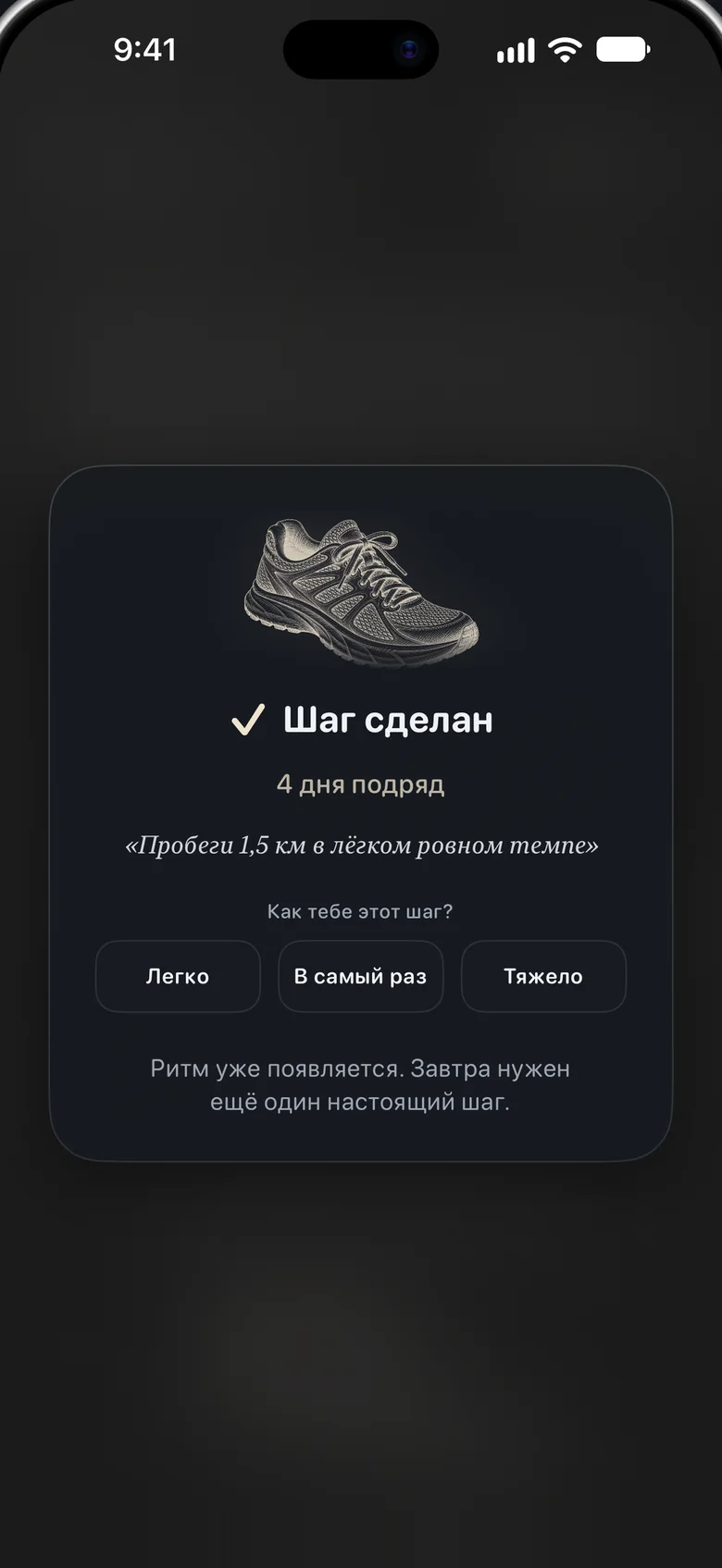
Every goal in Aimora gets its own engraving-style artwork. Since version 2.2 it comes through as you go: on day one only its outline, then a few more lines with every step, and the whole print when the plan is complete.
Show someone close
From a goal’s Progress screen, send one person a link (aimora.day/w/…). They watch the engraving grow in any browser, no app needed, with how many steps are done and since when. The goal’s title and steps are never part of the link, and it can be closed at any time.
Version 2.3November 9, 2026. Now in Traditional Chinese, including the widget and the Apple Watch app, so Aimora speaks 13 languages. Also fixes a rare crash after a goal was deleted.
Version 2.2.1November 3, 2026. Neater screens: tiles and buttons line up evenly, and button labels are no longer cut off.
What’s new · 615 characters
In Aimora 2.2 (October 29, 2026), each goal’s engraving-style artwork comes through step by step: on day one just its outline, a few more lines with every step, and the whole print when the plan is complete. A new “Show someone close” option sends one person a private link where they can watch the engraving grow in any browser, no app needed. The page shows only the drawing, how many steps are done and since when; the goal’s title and steps are never part of it, and the link can be closed at any time. Since then, Aimora 2.3 (November 9, 2026) has added Traditional Chinese, so the app now speaks 13 languages.
The story
A planner that meets you where your energy is
Most productivity apps ask for energy you don’t have. Miss a day and they pile on notifications, streak panic and a longer list.
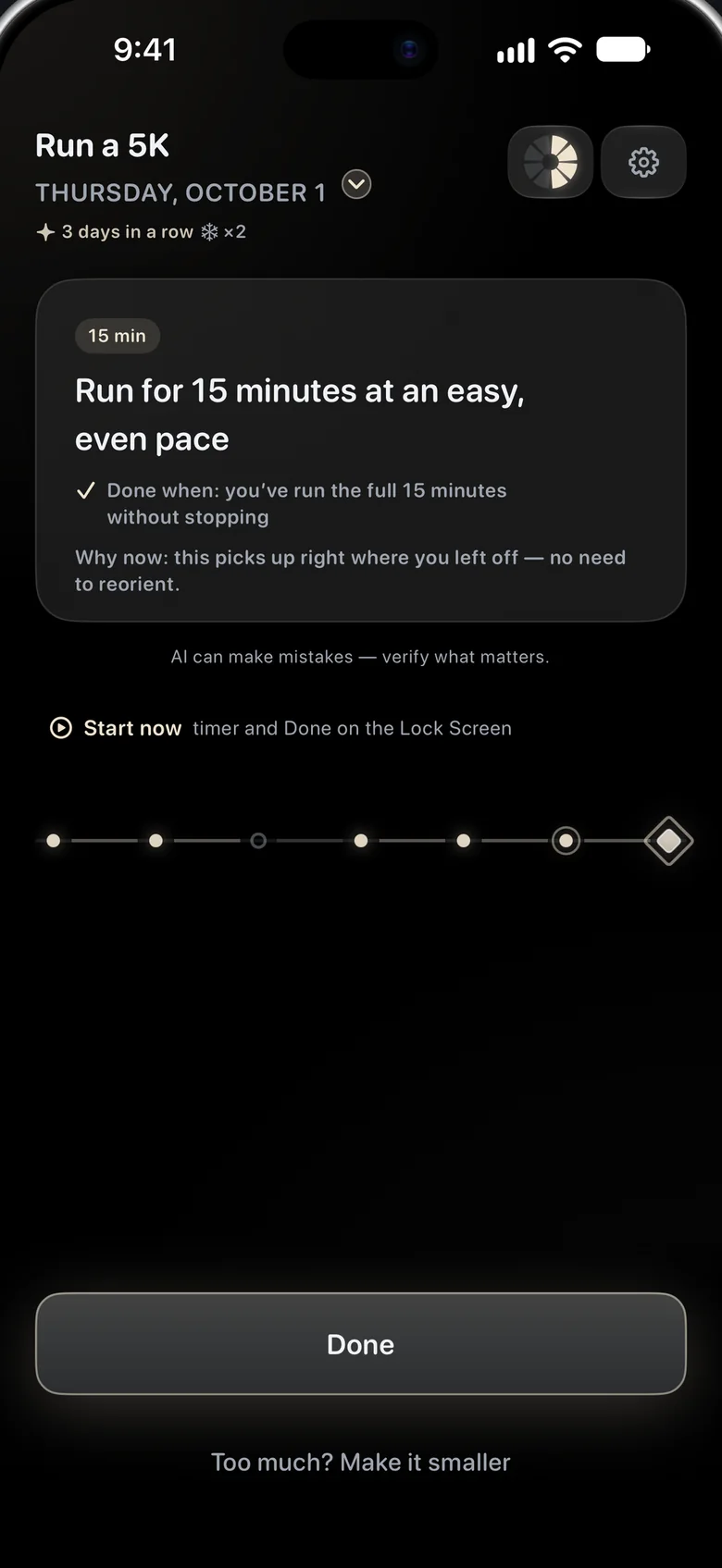
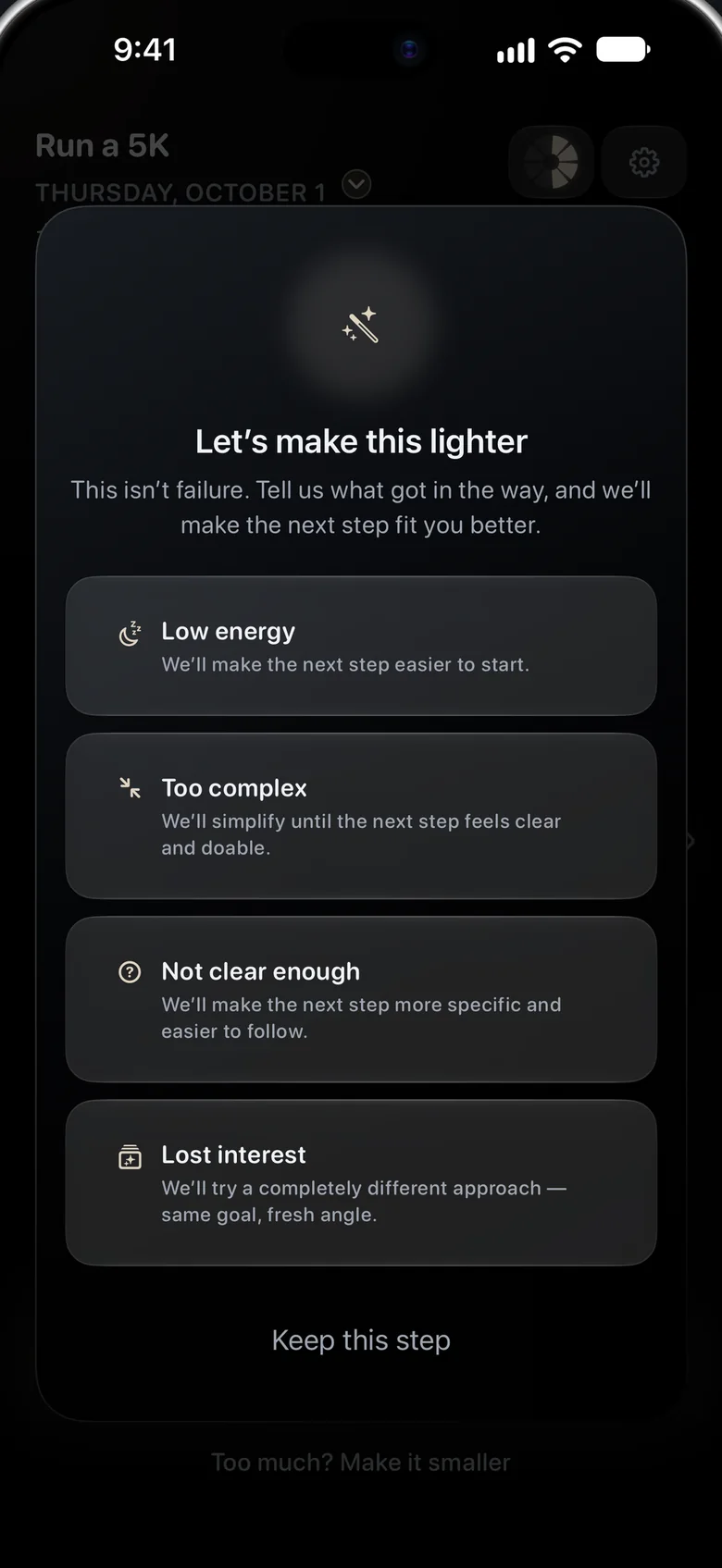
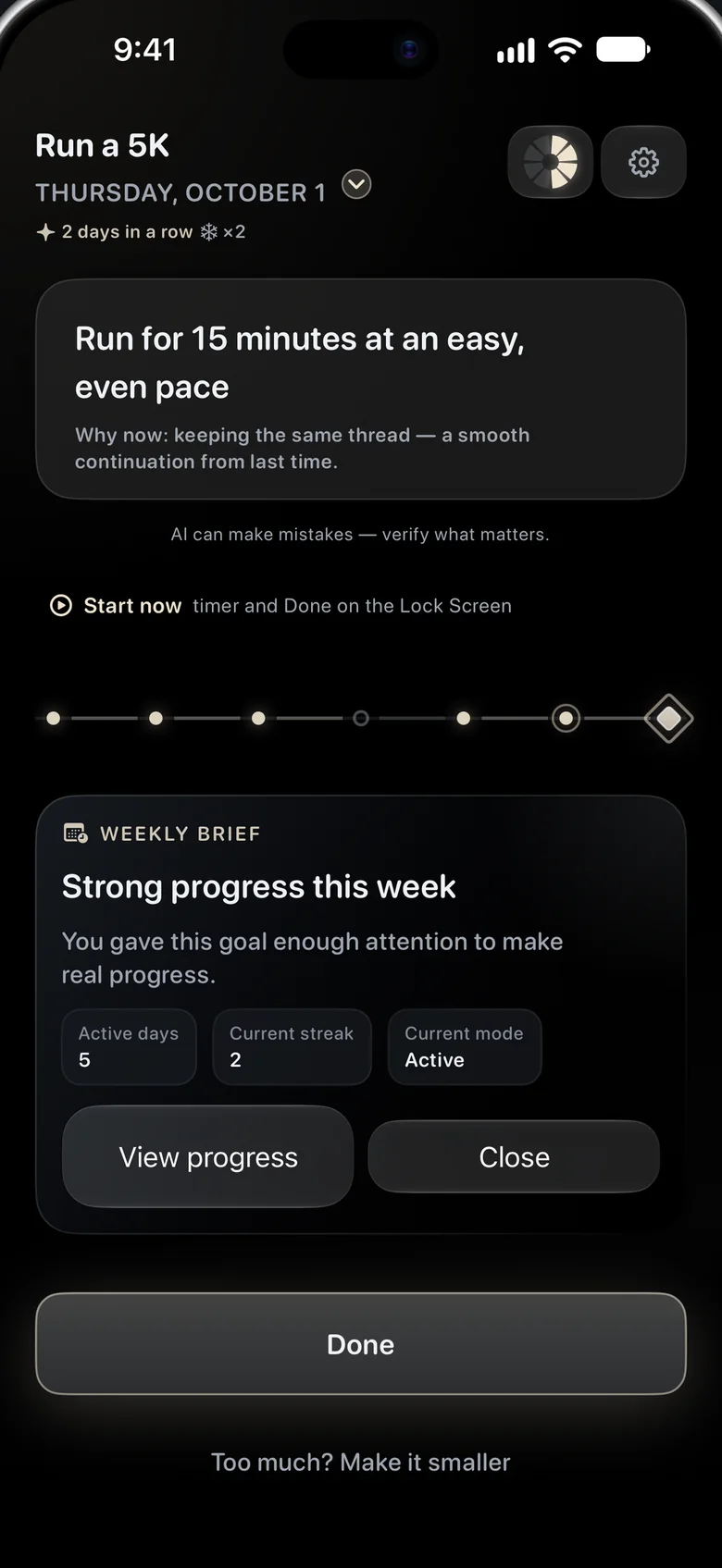
Aimora is built on the opposite idea: one goal, one next step, shaped to how you actually feel today. Tell it what you’re working toward and each day it writes a single concrete step, with a clear “done when” and a short note on why it fits now. Low on energy? Say so and the step gets smaller, never louder. After a few missed days, Aimora starts again from the smallest step instead of scolding.
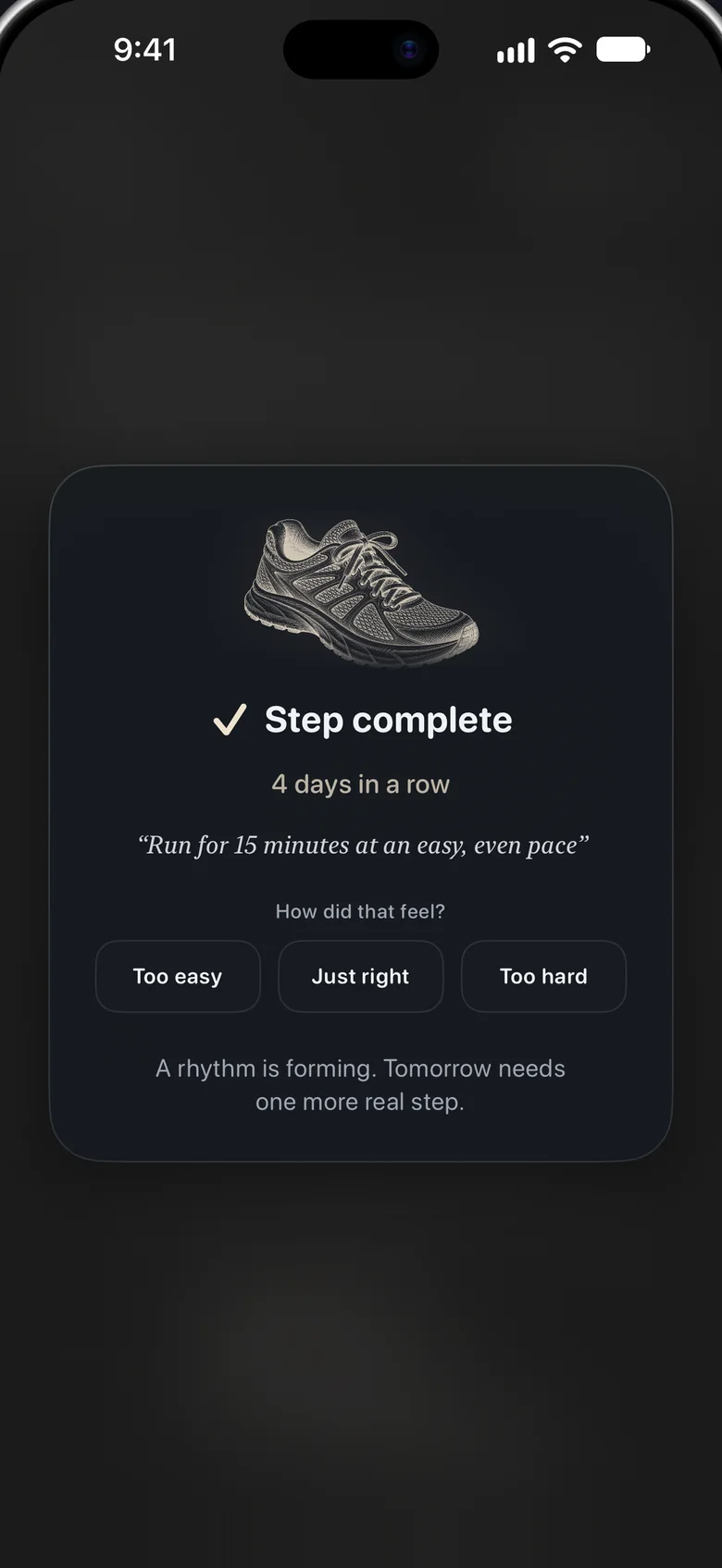
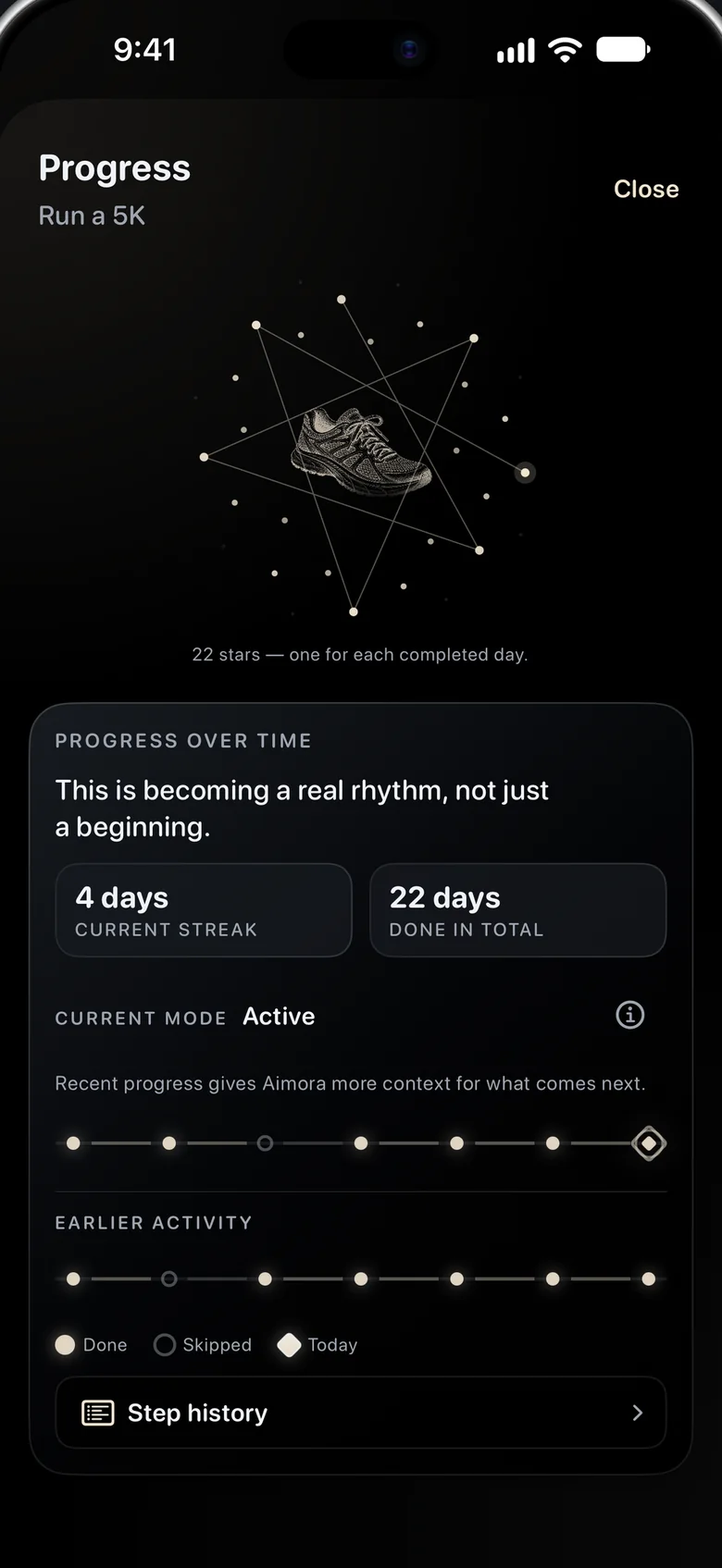
Progress isn’t a streak that can break. It’s a constellation, one star for every day you showed up, and it only ever grows. Each goal also has its own engraving, which comes through a little more with every step, and one person close to you can watch it grow. No lists, no leaderboards, no chatbot, no guilt.
Aimora runs on iPhone and Apple Watch, with the day’s step on the Lock Screen and Done on your wrist, and speaks 13 languages in a voice written for each of them.
Short description · 998 characters
Most productivity apps ask for energy you don’t have. Miss a day and they pile on notifications, streak panic and a longer list. Aimora is built on the opposite idea: one goal, one next step, shaped to how you actually feel today. Tell it what you’re working toward and each day it writes a single concrete step, with a clear “done when” and a short note on why it fits now. Low on energy? Say so and the step gets smaller, never louder. After a few missed days, Aimora starts again from the smallest step instead of scolding. Progress isn’t a streak that can break. It’s a constellation, one star for every day you showed up, and it only ever grows. Each goal also has its own engraving, which comes through a little more with every step, and one person close to you can watch it grow. No lists, no leaderboards, no chatbot, no guilt. Aimora runs on iPhone and Apple Watch, with the day’s step on the Lock Screen and Done on your wrist, and speaks 13 languages in a voice written for each of them.
What’s different
Not another task generator
01
Energy-aware, not schedule-aware
Most planners assume the energy you had when you made the plan. Aimora asks how you are today and reshapes the step, from setting up to deep work, up on good days and down on hard ones.
02
Kind by design
No streak panic, no leaderboards, no chatbot, no guilt. After several missed days it restarts from the smallest step, and the stars you’ve already lit stay lit.
03
AI that explains itself
Every step carries a “done when” and a short “why now”. One tap makes it smaller. Quality and safety guards check what the model writes before you see it.
04
Crafted, not generated
Engraving-style artwork for each goal that comes through step by step, a voice written separately for 13 languages, and a dark, quiet interface made for early mornings and late evenings alike.
Key scenarios
A day with Aimora
Morning
Running on empty
You tell Aimora your energy is low. Today’s step for “Run a 5K” becomes: put your running shoes by the door. Two minutes. You mark it Done from the Lock Screen.
Midday
A steady day
Fifteen minutes at an easy, even pace. “Why now: this picks up right where you left off.” You tap Done on your wrist and the rest of the day is yours.
Evening
A star lights
The day closes with one new star on your path. Skipped a day last week? Nothing went dark. Tomorrow’s step already knows how today felt.
Screens
Quiet, on purpose
Helpful details
The small things we care about
PlatformsiPhone, iPhone Duo, iPad, Apple Watch. Step and Done on the Lock Screen, widgets and wrist.
LanguagesEnglish, Russian, Ukrainian, German, French, Spanish, Portuguese (Brazil), Italian, Turkish, Chinese (Simplified and Traditional), Japanese, Korean, each written natively, including the AI’s step vocabulary.
PrivacyNo account, no ads, no third-party analytics. Goals live on the device and sync through the user’s private iCloud; to write a step, the app sends the goal and recent progress through our server to an AI model (OpenAI), with no name or email. Optional Face ID / Touch ID lock.
SharingOptional. “Show someone close” creates a link (aimora.day/w/…) for one person: it shows the engraving, how many steps are done and since when, never the goal’s title or steps. The link can be closed at any time and closes on its own after 90 days without a new step.
TrustEach step shows “why now” and “done when”, and can be made smaller in one tap. “AI can make mistakes — verify what matters” is shown in the app.
CraftEngraving-style artwork for each goal that comes through step by step. Dark-first interface. Independently developed.
Key details · 699 characters
Native iPhone and Apple Watch app written in Swift; today’s step and Done on the Lock Screen, widgets and wrist. Carefully localized into 13 languages (en, ru, uk, de, fr, es, pt-BR, it, tr, zh-Hans, zh-Hant, ja, ko), including the vocabulary of the AI’s steps. Optional Face ID / Touch ID lock; data stays on device with private iCloud sync. Every AI step shows a “why now” and a one-tap way to make it smaller, and is checked by quality and safety guards. Independently developed; engraving-style artwork for each goal comes through step by step, and since version 2.2 “Show someone close” lets one person watch it grow through a private web link that shows neither the goal’s title nor its steps.
Press kit
Everything you need, ready to use
Free to use when writing about Aimora. Please use the official App Store badge and don’t alter the app icon.
Aimora is a calm AI goal planner for iPhone and Apple Watch. Name one goal and Aimora gives you one small step a day, shaped to the energy you actually have: smaller on hard days, bigger on good ones, never guilt-tripping. Progress is a constellation of stars, one for every day you showed up. Available in 13 languages.
Aimora is a calm AI goal planner for iPhone and Apple Watch, made for people who keep putting things off. You name one goal; every day Aimora writes one concrete step with a clear “done when” and a short “why now”, shaped to the energy you tell it you have. Too much today? One tap makes the step smaller. Miss a few days and Aimora starts again from the smallest step instead of scolding. Progress is shown as a constellation, one star for every day you showed up, and it only ever grows. Each goal’s engraving comes through with every step, and “Show someone close” lets one trusted person watch it grow through a private link. Aimora has no lists, leaderboards or chatbot. It works on iPhone and Apple Watch, with the step on the Lock Screen and Done on your wrist, and speaks 13 languages. Aimora is free for 7 days with everything in Pro except extra goals, then continues as a free plan or with Aimora Pro.
Let’s talk
Review codes, interviews, assets in other sizes: write to Alexander Matveev and you’ll hear back from a person.